Limits
iR3 typically stores hundreds of millions of records, growing further still as new polls are received and events are generated. Retrospective doesn't impose fixed restrictions time-based or otherwise, so it is possible to perform a query which has a large volume of data. "Large" is subjective of course, but it's helpful to define it as an amount of data that could, depending on a client machine's specifications, adversely affect map performance.
The main factors that affect the size of data are the data type and the time range. The data type matters because for instance there are far more radio polls than incidents per hour, so a query of radio polls will have far more data than a query for incidents with the same parameters.
Estimation
When changing parameters for your query, an estimation will appear at the bottom of the layer. Here, for a one month time period it estimates there are 845,500 items being queried:

Showing this many map items at once would most likely slow down map performance. One possible preventative measure would be to impose fixed restrictions for example a maximum time of one week when querying person polls.
The estimation feature is provided as an alternative to fixed restrictions. Any query parameters are allowed so long as the estimation is under certain limits. In the example above, the query can still span a month but the user would need to revise the query for example to a boundary of interest, persons of interest or use a lower level of precision to reduce the data retrieved to managable levels.
This allows greater freedom when creating a query while safeguarding against queries that would adversely affect map performance.
It is very important to understand that the estimation is based on a random sampling of data in a short time period between the start and end dates.
- A perfectly accurate estimation could take as long as the query itself so a small sample is used to quickly calculate and inform the user.
- The estimation could change for the same inputs purely because the sample chosen is random.
- If the data queried are sporadic, the estimation may be inaccurate.
Precision clustering for heatmaps
In order to improve performance for heatmaps, multiple points can be merged together into a single cluster, reducing the total amount of points shown on the map. How many points are combined depends on the precision parameter.
Percision can be visualised as controlling the resolution of an image, if the precision is low the image will appear blocky, if it's high the image will have fine detail. Just as lower resolution images have smaller file sizes than higher resolution ones, low precision queries have less data than higher precision queries.
In the following example, a precision level of 3 results in 735 clusters:
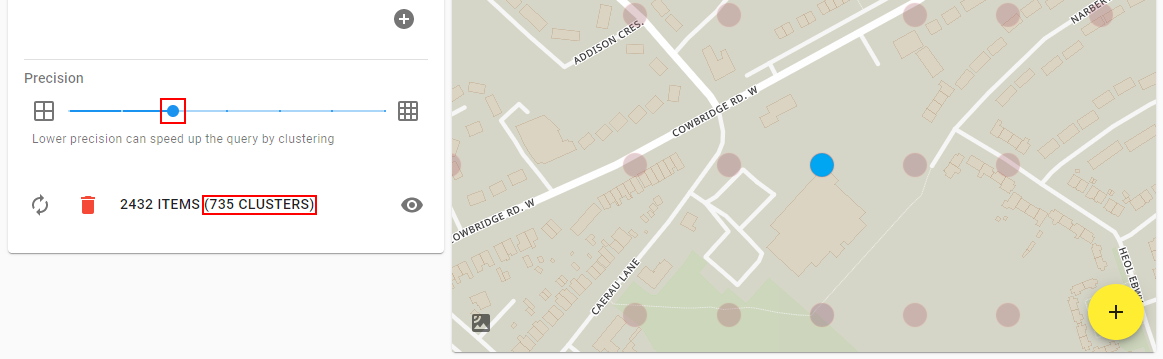
Clicking on the most dense cluster (the bluest cluster in the centre of the map) reveals that it has grouped together 414 polls:

Moving the precision up a notch to 4 increases the resolution/detail and results in 1363 clusters:

Clicking on one of the two most dense clusters shows that it has grouped together 56 items:

The lower precision query essentially clusters more points together, so all of the points in the grid square below are represented by a single, larger cluster in the bottom left of the grid:
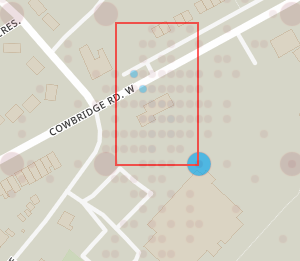
Precision directly relates to how many decimal places are used for the longitude and latitude of the point. For the examples above, a precision of 4 will group all 56 points from -3.246700°, 51.476600° to -3.246799°, 51.476699° into a single cluster labelled -3.2467°, 51.4766° (note 4 decimal places). A precision of 3 will group all 414 points that from -3.246000°, 51.476000° and -3.246999°, 51.476999° into a single cluster labelled -3.246°, 51.476° (note 3 decimal places).


Lower precision results in more points being clustered together and better map performance. To speed up the time it takes to do the query and download the data, clustering is done on the server so less data needs to be downloaded. This means changing the precision requires re-fetching the data.
Setting the precision to the highest setting does no clustering at all, so each point on the map corresponds exactly to a point in the raw data. For some data types, a date range of a month at the highest precision could result in millions of points and a data size of about a gigabyte!
It is therefore recommended to use low precision initially for large queries and increase precision if necessary as the area/dates/filters of interest are used to narrow down the query.
(For illustration purposes the points above were forced into a regular grid pattern and the blur/radius modified. In reality the average location of all the clusters points is used instead and the blur/radius may need to be modified manually)
Locking map items to the list
The first time a query result is detected that has a large amount of shapes, a dialog window will appear explaining that in order to protect performance, only items currently shown in the result list will be shown on the map:
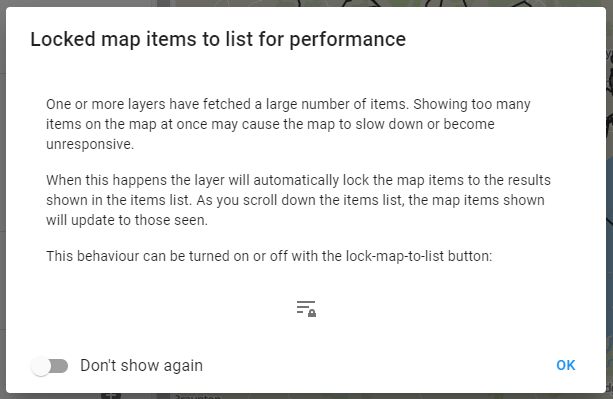
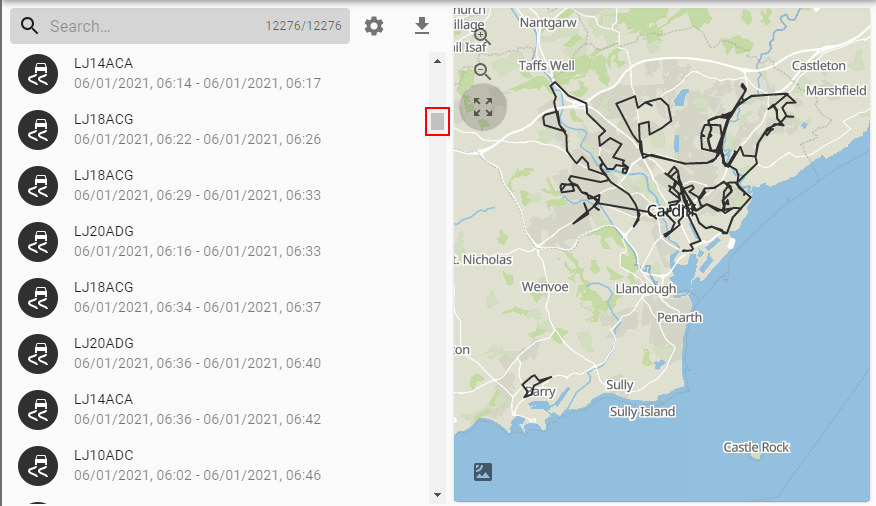
What this means is that instead of thousands and thousands of shapes being shown on the map at the same time only a few are shown. These correspond to the items currently shown in the results and will change as you scroll through or filter. At the top of the list you will see trips on the map that correspond to the items at the top of the list:
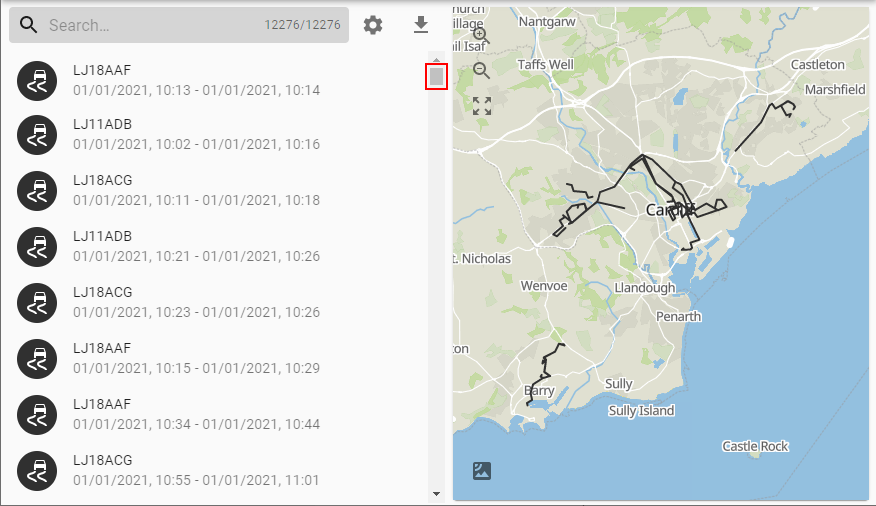
And if you scroll down, the map updates to reflect what's shown in the list:
This behaviour can be toggled with the lock map to list button:
